# hypr
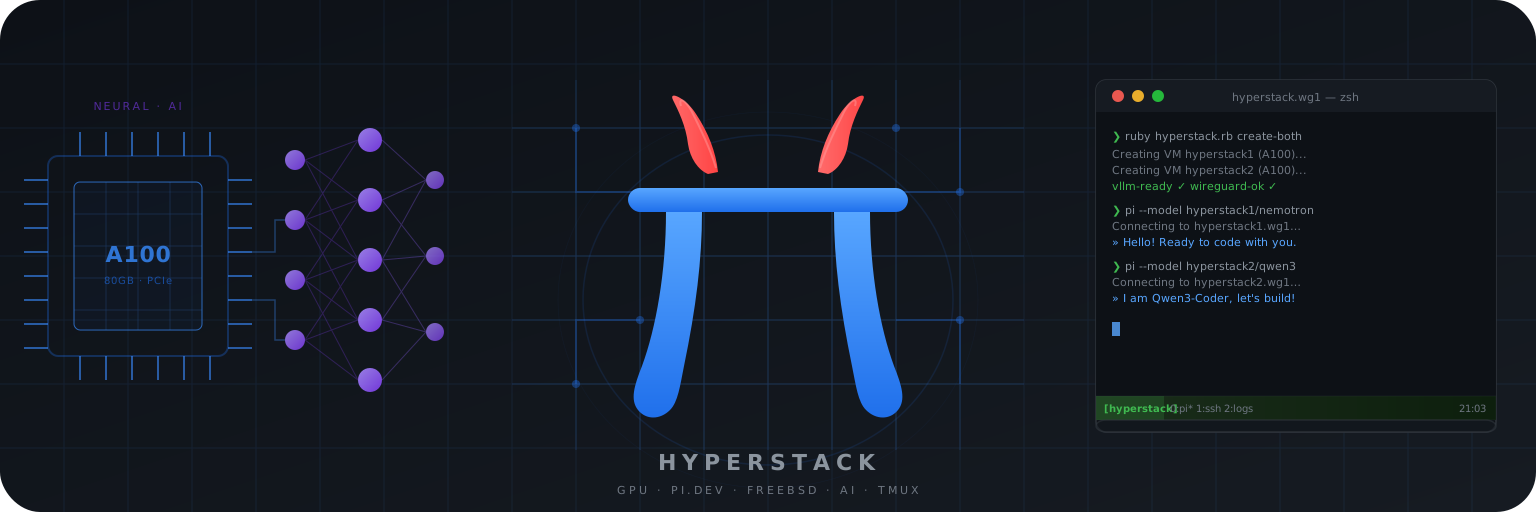 Automates Hyperstack GPU VM lifecycle: create, bootstrap, WireGuard tunnel, and vLLM inference.
Runs two A100 VMs concurrently — each serving a different model — with [Pi](https://pi.dev) coding agents connected to each.
## Architecture
```
┌─────────────┐
│ Laptop │
└──────┬──────┘
│ SSH (into bhyve VM, not the host)
│
FreeBSD physical host (earth)
┌─────────────────────────────────────────────────────────────────────────┐
│ │
│ FreeBSD bhyve VM (isolation layer) 192.168.3.2 / wg1 │
│ ┌───────────────────────────────────────────────────────────────────┐ │
│ │ ▲ │ │
│ │ │ SSH │ │
│ │ tmux session (tmux attach) │ │
│ │ ┌─────────────────────────────────────────────────────────────┐ │ │
│ │ │ window 0 │ │ │
│ │ │ ┌───────────────────────┬─────────────────────────┐ │ │ │
│ │ │ │ pane 0: pi-nemotron │ pane 1: pi-coder │ │ │ │
│ │ │ │ │ │ │ │ │
│ │ │ │ Pi │ Pi │ │ │ │
│ │ │ │ Nemotron-3-Super │ Qwen3-Coder-Next │ │ │ │
│ │ │ └──────────┬────────────┘└────────────┬───────────┘ │ │ │
│ │ │ │ OpenAI API │ OpenAI API │ │ │
│ │ │ │ /v1/chat/completions │ /v1/chat/completions│ │ │
│ │ └─────────────┼──────────────────────────┼────────────────────┘ │ │
│ │ │ │ │ │
│ └──────────────┼───────────────────────────┼────────────────────────┘ │
│ │ WireGuard wg1 │ WireGuard wg1 │
└─────────────────┼───────────────────────────┼───────────────────────────┘
│ 192.168.3.0/24 │ 192.168.3.0/24
│ UDP :56710 │ UDP :56710
▼ ▼
┌──────────────────────────┐ ┌──────────────────────────┐
│ VM1 (A100 80GB) │ │ VM2 (A100 80GB) │
│ 192.168.3.1 │ │ 192.168.3.3 │
│ hyperstack1.wg1 │ │ hyperstack2.wg1 │
│ │ │ │
│ vLLM :11434 │ │ vLLM :11434 │
│ Nemotron-3-Super 120B │ │ Qwen3-Coder-Next 80B │
│ (Mamba+MoE, AWQ-4bit) │ │ (MoE, AWQ-4bit) │
└──────────────────────────┘ └──────────────────────────┘
```
**WireGuard topology:**
- Interface `wg1` on earth carries traffic to **both** VMs simultaneously
- earth is `192.168.3.2`; VM1 is `.1`; VM2 is `.3`; tunnel port is `56710/udp`
- Adding VM2 to an existing wg1 tunnel: `wg1-setup.sh` adds a second `[Peer]` block without disturbing VM1
- vLLM on each VM listens on `0.0.0.0:11434`, firewalled to `192.168.3.0/24` (WireGuard subnet only)
- Pi connects directly to each VM's vLLM over the tunnel — no proxy or load balancer
## Why Pi
- **Bring-your-own model** — connects to any OpenAI-compatible endpoint; no translation proxy needed between Pi and vLLM
- **Custom providers via `models.json`** — define `hyperstack`, `hyperstack1`, and `hyperstack2` providers once; fish abbreviations route to the right VM
- **Project-local config** — symlink this repo's `pi/` directory to `~/.pi`; Pi picks up `models.json`, `settings.json`, extensions, and skills automatically
- **TypeScript extensions** — custom behaviour (web search, loop scheduler, ask-mode) lives in `pi/agent/extensions/` and loads from the symlink
- **Minimal core** — no built-in sub-agents, plan mode, or permission popups; fast TUI with mid-session model switching via `Ctrl+L`
## Prerequisites
- Hyperstack account with API key in `~/.hyperstack`
- SSH key registered in Hyperstack as `earth` (or change `ssh.hyperstack_key_name` in the TOML)
- Review `[network].allowed_ssh_cidrs` and `[network].allowed_wireguard_cidrs` in your TOML.
The secure default is `["auto"]`, which resolves your current public egress IP to `/32`.
Set explicit CIDRs or `HYPERSTACK_OPERATOR_CIDR` if you deploy from a different network.
- WireGuard setup script: `wg1-setup.sh` (present in this directory)
- Ruby with `toml-rb` gem: `bundle install`
- [Pi](https://pi.dev) coding agent installed
## WireGuard setup
`hyperstack.rb` runs `wg1-setup.sh` automatically during `create` / `create-both`.
This section explains the tunnel design for reference and manual troubleshooting.
### Tunnel design
```
earth (192.168.3.2)
/etc/wireguard/wg1.conf
[Interface] Address = 192.168.3.2/24
[Peer] # VM1 — AllowedIPs = 192.168.3.1/32, Endpoint = :56710
[Peer] # VM2 — AllowedIPs = 192.168.3.3/32, Endpoint = :56710
```
A single `wg1` interface on earth carries traffic to both VMs. Each VM is a separate `[Peer]`
block. Adding VM2 to an existing tunnel with VM1 already running leaves VM1's peer untouched.
### Manual setup
```bash
# VM1 (first VM — generates fresh keys, writes /etc/wireguard/wg1.conf from scratch)
./wg1-setup.sh
# VM2 (additional VM — adds a [Peer] block to the existing wg1.conf)
./wg1-setup.sh 192.168.3.3 hyperstack2.wg1
```
### Verify the tunnel
```bash
# Show active peers and handshake times (both VMs should appear)
sudo wg show wg1
# Ping each VM through the tunnel
ping -c 3 192.168.3.1 # VM1
ping -c 3 192.168.3.3 # VM2
# Check vLLM is reachable over the tunnel
curl http://hyperstack1.wg1:11434/v1/models
curl http://hyperstack2.wg1:11434/v1/models
```
### Restart / recover
```bash
# Restart tunnel locally (e.g. after network change)
sudo systemctl restart wg-quick@wg1
# Restart tunnel on VM after a reboot (ssh via public IP since WireGuard is down)
ssh ubuntu@ 'sudo systemctl start wg-quick@wg1'
# Re-run setup when VM IP changes (e.g. after delete + recreate)
./wg1-setup.sh
./wg1-setup.sh 192.168.3.3 hyperstack2.wg1
```
## Quickstart (two-VM setup)
```bash
# Deploy both VMs in parallel, set up WireGuard + vLLM (~10 min)
ruby hyperstack.rb create-both
# Verify both VMs are working
ruby hyperstack.rb --config hyperstack-vm1.toml test
ruby hyperstack.rb --config hyperstack-vm2.toml test
# Launch Pi coding agents — one per terminal (fish abbreviations from hyperstack.fish)
pi-hyperstack-nemotron # Nemotron-3-Super 120B on VM1
pi-hyperstack-coder # Qwen3-Coder-Next on VM2
# Tear down both VMs
ruby hyperstack.rb delete-both
```
## Using Pi
[Pi](https://pi.dev) is the coding agent frontend used with this setup.
Each Hyperstack VM runs a vLLM instance; Pi connects to it directly over the WireGuard tunnel.
### Installation
Install Pi from [pi.dev](https://pi.dev), then link the project-local config into place:
```bash
ln -s /path/to/hyperstack/pi ~/.pi
```
This symlink makes Pi pick up `pi/agent/models.json` and `pi/agent/settings.json`
from this repo as its agent configuration, so the Hyperstack providers and model
definitions are available without any manual config editing.
### Fish shell abbreviations
Source `hyperstack.fish` or copy the abbreviations into your Fish config:
```fish
abbr pi-hyperstack pi --model hyperstack/openai/gpt-oss-120b
abbr pi-hyperstack-nemotron pi --model hyperstack1/cyankiwi/NVIDIA-Nemotron-3-Super-120B-A12B-AWQ-4bit
abbr pi-hyperstack-coder pi --model hyperstack2/bullpoint/Qwen3-Coder-Next-AWQ-4bit
```
Then launch a session after the VM(s) are up:
```fish
pi-hyperstack # single-VM → GPT-OSS 120B on hyperstack.wg1
pi-hyperstack-nemotron # two-VM → Nemotron-3-Super 120B on VM1
pi-hyperstack-coder # two-VM → Qwen3-Coder-Next 80B on VM2
```
### Model configuration (`pi/agent/models.json`)
Three providers are defined, one per setup, each pointing at its vLLM endpoint over WireGuard:
| Provider | Base URL | Primary model |
|----------|----------|---------------|
| `hyperstack` | `http://hyperstack.wg1:11434/v1` | GPT-OSS 120B (single-VM) |
| `hyperstack1` | `http://hyperstack1.wg1:11434/v1` | Nemotron-3-Super 120B |
| `hyperstack2` | `http://hyperstack2.wg1:11434/v1` | Qwen3-Coder-Next 80B |
All model presets from the TOML configs are registered under each provider, so any
model can be run on any VM after a `model switch` (see [Switching models](#switching-models)).
### Settings (`pi/agent/settings.json`)
```json
{
"defaultProvider": "openai",
"defaultModel": "gpt-4.1"
}
```
The default provider/model is OpenAI so that bare `pi` uses OpenAI rather than a Hyperstack VM.
Use the fish abbreviations above to route to a specific VM.
### Hot-switching models within Pi
After loading a different model on a VM with `model switch` (see [Switching models](#switching-models)),
tell Pi to use it without restarting the session:
```
model switch hyperstack1/openai/gpt-oss-120b
```
Pi sends subsequent requests to the new model ID immediately; the provider base URL stays the same.
## Extensions
Custom extensions live in `pi/agent/extensions/` and are loaded automatically via the `~/.pi` symlink.
| Extension | Purpose |
|-----------|---------|
| `web-search` | `web_search` and `web_fetch` tools — DuckDuckGo search + page fetching, no API key |
| `ask-mode` | `/ask` command — restricts the model to read-only exploration tools |
| `loop-scheduler` | `/loop` command — re-sends a prompt on a recurring interval |
| `inline-bash` | `!{cmd}` syntax — expands shell output inline before sending to the model |
| `session-name` | Auto-names sessions from the first message |
| `modal-editor` | Opens an external editor (`$VISUAL`) for composing long prompts |
| `handoff` | Compacts and hands off context to a fresh session |
| `fresh-subagent` | Spawns a sub-agent in a clean context for isolated tasks |
| `reload-runtime` | `/reload-runtime` command — hot-reloads extensions without restarting Pi |
| `nemotron-tool-repair` | Repairs malformed tool calls from Nemotron models |
| `agent-plan-mode` | Integrates task management into Pi sessions |
### Web search
The `web-search` extension registers two LLM-callable tools:
- **`web_search`** — searches DuckDuckGo and returns up to 8 results (title, URL, snippet)
- **`web_fetch`** — fetches a URL and returns up to 12,000 characters of readable text
Example prompts:
```
Search for the vLLM 0.9.0 changelog
Find the Qwen3-Coder model card and summarize the recommended vLLM flags
```
No API key or account required. Uses DuckDuckGo's free HTML endpoint.
## Single-VM setup
A single VM can be deployed with the default config (GPT-OSS 120B):
```bash
ruby hyperstack.rb create # uses hyperstack-vm.toml
ruby hyperstack.rb test
pi-hyperstack # fish abbreviation → hyperstack/openai/gpt-oss-120b
ruby hyperstack.rb delete
```
## VM configuration
| Config file | Default model | WireGuard IP | Hostname |
|---|---|---|---|
| `hyperstack-vm1.toml` | Nemotron-3-Super 120B (AWQ-4bit) | `192.168.3.1` | `hyperstack1.wg1` |
| `hyperstack-vm2.toml` | Qwen3-Coder-Next 80B (AWQ-4bit) | `192.168.3.3` | `hyperstack2.wg1` |
| `hyperstack-vm.toml` | GPT-OSS 120B (single-VM mode) | `192.168.3.1` | `hyperstack.wg1` |
Each VM has independent state files so they can be managed separately:
```bash
ruby hyperstack.rb --config hyperstack-vm1.toml status
ruby hyperstack.rb --config hyperstack-vm2.toml status
```
## Switching models
Each VM has named model presets in its TOML config. Hot-switch without reprovisioning:
```bash
ruby hyperstack.rb --config hyperstack-vm1.toml model switch qwen3-coder-next
ruby hyperstack.rb --config hyperstack-vm2.toml model switch nemotron-super
```
Available presets (both VMs share the same set):
| Preset | Model | VRAM | Context |
|---|---|---|---|
| `nemotron-super` | Nemotron-3-Super 120B (Mamba+MoE, 12B active) | ~60 GB | 131K |
| `qwen3-coder-next` | Qwen3-Coder-Next 80B (MoE, AWQ-4bit) | ~45 GB | 262K |
| `gpt-oss-120b` | GPT-OSS 120B (MoE, MXFP4) | ~65 GB | 131K |
| `gpt-oss-20b` | GPT-OSS 20B (MoE, MXFP4) | ~14 GB | 65K |
| `qwen25-coder-32b` | Qwen2.5-Coder-32B-Instruct (AWQ) | ~18 GB | 32K |
| `qwen3-coder-30b` | Qwen3-Coder-30B-A3B (MoE, AWQ) | ~18 GB | 65K |
| `deepseek-r1-32b` | DeepSeek-R1-Distill-Qwen-32B (AWQ) | ~18 GB | 32K |
| `qwen3-32b` | Qwen3-32B (AWQ) | ~18 GB | 32K |
| `devstral` | Devstral-Small-2507 (AWQ-4bit) | ~15 GB | 32K |
## CLI reference
```
ruby hyperstack.rb [--config path] [options]
Commands:
create Deploy a new VM and run full provisioning
create-both Deploy VM1 + VM2 in parallel (uses hyperstack-vm1/vm2.toml)
delete Destroy the tracked VM
delete-both Destroy both VM1 and VM2
status Show VM and WireGuard status
watch Live dashboard: vLLM + GPU stats for all active VMs (refreshes every 5 s)
test Run end-to-end inference tests (vLLM)
model switch Hot-switch the running vLLM model
create / create-both options:
--replace Delete existing tracked VM before creating
--dry-run Print the plan without making changes
--vllm / --no-vllm Override config: enable/disable vLLM setup
--ollama / --no-ollama Override config: enable/disable Ollama setup
```
## Configuration
Edit `hyperstack-vm1.toml` / `hyperstack-vm2.toml` (or `hyperstack-vm.toml` for single-VM).
Key sections:
| Section | Purpose |
|---------|---------|
| `[vm]` | Flavor, image, environment name |
| `[vllm]` | Model, container settings, and vLLM runtime options |
| `[vllm.presets.*]` | Named model presets for hot-switching |
| `[ollama]` | Ollama settings (disabled by default; set `install = true` to use instead) |
| `[network]` | Ports, WireGuard subnet, allowed CIDRs |
| `[wireguard]` | Auto-setup script path |
`allowed_ssh_cidrs` and `allowed_wireguard_cidrs` accept either explicit CIDRs such as
`["203.0.113.4/32"]` or `["auto"]`. `auto` resolves the current public operator IP at runtime;
set `HYPERSTACK_OPERATOR_CIDR` to override that detection when needed.
SSH host keys are pinned per state file in `.known_hosts`. `delete` and `--replace`
clear that trust file for intentional reprovisioning; unexpected host key changes now fail closed.
## Automated setup reference
`hyperstack.rb` handles the full VM lifecycle automatically. All steps below
(VM creation, WireGuard tunnel, vLLM Docker container) run in a single command.
### Single-VM setup
```bash
# Deploy VM, configure WireGuard tunnel, pull and start vLLM (~10 min)
ruby hyperstack.rb create
# Run end-to-end inference test over the tunnel
ruby hyperstack.rb test
# Launch Pi coding agent connected to GPT-OSS 120B on the VM
pi-hyperstack # fish abbreviation from hyperstack.fish
# Tear down the VM and remove WireGuard peer
ruby hyperstack.rb delete
```
### Two-VM setup
```bash
# Deploy both VMs in parallel, set up tunnel and vLLM on each (~10 min)
ruby hyperstack.rb create-both
# Test each VM individually
ruby hyperstack.rb --config hyperstack-vm1.toml test
ruby hyperstack.rb --config hyperstack-vm2.toml test
# Launch Pi coding agents — one per terminal
pi-hyperstack-nemotron # fish abbreviation → Nemotron-3-Super 120B on VM1
pi-hyperstack-coder # fish abbreviation → Qwen3-Coder-Next 80B on VM2
# Tear down both VMs
ruby hyperstack.rb delete-both
```
### Hot-switching models without reprovisioning
```bash
# Switch the running vLLM container to a different model preset
ruby hyperstack.rb --config hyperstack-vm1.toml model switch qwen3-coder-next
ruby hyperstack.rb --config hyperstack-vm2.toml model switch nemotron-super
```
See the [VM configuration](#vm-configuration) and [Switching models](#switching-models)
sections for available presets and config options.
## Manual vLLM Docker setup
This section covers manual vLLM deployment for debugging or running outside the
automation. The `hyperstack.rb` provisioner handles all of this automatically.
### Prerequisites
- VM with NVIDIA GPU, CUDA ≥ 12.x, driver ≥ 535, and Docker with `nvidia-container-toolkit`
- WireGuard `wg1` tunnel configured (see `wg1-setup.sh`)
- If Ollama was previously running: `sudo systemctl stop ollama && sudo systemctl disable ollama`
### Storage setup
Model cache on ephemeral NVMe (fast; re-downloads if lost on VM restart):
```bash
sudo mkdir -p /ephemeral/hug
sudo chmod -R 0777 /ephemeral/hug
```
### Run the vLLM container
The model downloads on first start (~45 GB, ~2.5 min). Cold start after download: ~4–5 min.
```bash
docker pull vllm/vllm-openai:latest
docker run -d \
--gpus all \
--ipc=host \
--network host \
--name vllm_qwen3 \
--restart always \
-v /ephemeral/hug:/root/.cache/huggingface \
vllm/vllm-openai:latest \
--model bullpoint/Qwen3-Coder-Next-AWQ-4bit \
--tensor-parallel-size 1 \
--enable-auto-tool-choice \
--tool-call-parser qwen3_coder \
--enable-prefix-caching \
--gpu-memory-utilization 0.92 \
--max-model-len 262144 \
--host 0.0.0.0 \
--port 11434
```
Key flags:
| Flag | Purpose |
|------|---------|
| `--gpus all` | Expose all GPUs to the container |
| `--ipc=host` | Shared memory required by CUDA (avoids `/dev/shm` limits) |
| `--network host` | Host networking so WireGuard port 11434 is directly reachable |
| `--restart always` | Auto-restart the container on VM reboot |
| `-v /ephemeral/hug:...` | Model cache on fast ephemeral NVMe |
| `--tensor-parallel-size 1` | Single GPU (use 2/4 for multi-GPU) |
| `--enable-auto-tool-choice` | Enable function/tool calling |
| `--tool-call-parser qwen3_coder` | Parser for Qwen3-Coder tool format |
| `--enable-prefix-caching` | Block-level KV cache reuse across requests |
| `--gpu-memory-utilization 0.92` | Use 92% of VRAM; rest for OS/overhead |
| `--max-model-len 262144` | Full 256k context window |
| `--host 0.0.0.0` | Bind to all interfaces (WireGuard access requires this) |
| `--port 11434` | Reuse Ollama port for firewall compatibility |
### Verify startup
```bash
# Wait for "Application startup complete"
docker logs -f vllm_qwen3 2>&1 | grep -E "startup complete|Error"
# Confirm model is loaded
curl -s http://localhost:11434/v1/models | python3 -m json.tool
# Quick inference test
curl -s http://localhost:11434/v1/chat/completions \
-H "Content-Type: application/json" \
-H "Authorization: Bearer EMPTY" \
-d '{"model":"bullpoint/Qwen3-Coder-Next-AWQ-4bit",
"messages":[{"role":"user","content":"Hello"}],
"max_tokens":50}'
```
### Firewall
```bash
sudo ufw allow from 192.168.3.0/24 to any port 11434 proto tcp comment 'vLLM via wg1'
```
### Client configuration
Use the VM's WireGuard IP (`.1` for VM1, `.3` for VM2):
```bash
# VM1 (hyperstack1.wg1 = 192.168.3.1)
OPENAI_BASE_URL=http://192.168.3.1:11434/v1 OPENAI_API_KEY=EMPTY pi
# VM2 (hyperstack2.wg1 = 192.168.3.3)
OPENAI_BASE_URL=http://192.168.3.3:11434/v1 OPENAI_API_KEY=EMPTY pi
```
### Replacing the running container
To serve a different model, stop the current container and start a new one:
```bash
docker stop vllm_qwen3 && docker rm vllm_qwen3
# Example: smaller 30B model (fits easily, faster)
docker run -d \
--gpus all --ipc=host --network host \
--name vllm_qwen3_30b --restart always \
-v /ephemeral/hug:/root/.cache/huggingface \
vllm/vllm-openai:latest \
--model Qwen/Qwen3-Coder-30B-AWQ \
--tensor-parallel-size 1 \
--enable-auto-tool-choice --tool-call-parser qwen3_coder \
--enable-prefix-caching \
--gpu-memory-utilization 0.92 --max-model-len 131072 \
--host 0.0.0.0 --port 11434
```
## Why vLLM instead of Ollama
- **FlashAttention v2**: ~1.5–2× faster prefill for long prompts
- **Block-level prefix caching**: partial KV cache reuse even when the prompt changes mid-sequence (Ollama requires an exact prefix match from token 0)
- **Chunked prefill**: can interleave prefill and decode
- **Marlin kernels** for AWQ MoE quantization
## Monitoring vLLM
The `watch` command provides a built-in terminal dashboard that polls all active VMs every 5 seconds:
```bash
ruby hyperstack.rb watch
```
When two VMs are active the panels are shown side-by-side; a single VM uses a vertical layout.
Press `Ctrl-C` to exit.
Each VM panel shows:
| Row | Source | What it means |
|-----|--------|---------------|
| GPU header | `nvidia-smi` | Device index, name, temperature, power draw |
| **util** bar | `nvidia-smi` | GPU compute utilisation % |
| **VRAM** bar | `nvidia-smi` | GPU memory used / total |
| **throughput** | vLLM engine log | Rolling-average prefill tok/s and decode tok/s |
| **requests** | vLLM engine log | Running / waiting / swapped request counts |
| **KV cache** bar | vLLM engine log | GPU KV-cache fill % |
| **cache hits** bar | vLLM engine log | Prefix-cache hit rate % |
Stats are collected via a single SSH call per VM over the WireGuard tunnel (`hyperstack1.wg1` etc.).
`nvidia-smi` provides hardware metrics; vLLM engine stats are read from `docker logs --tail 200`
filtered to the "Engine 0" line that vLLM emits every few seconds.
For lower-level ad-hoc inspection:
```bash
# Live engine stats (throughput, KV cache, prefix cache hit rate)
ssh ubuntu@ 'docker logs -f vllm_nemotron_super 2>&1 | grep "Engine 0"'
# GPU stats (every 5 s)
ssh ubuntu@ 'nvidia-smi --query-gpu=temperature.gpu,utilization.gpu,power.draw,memory.used --format=csv -l 5'
# Last-minute stats (one-shot, no follow)
ssh ubuntu@ 'docker logs --since 1m vllm_nemotron_super 2>&1 | grep "Engine 0"'
# Request-level monitoring
ssh ubuntu@ 'docker logs -f vllm_nemotron_super 2>&1 | grep "POST"'
```
Engine metrics key fields:
| Field | Meaning |
|-------|---------|
| Avg prompt throughput | Prefill speed (tokens/s) — higher is faster |
| Avg generation throughput | Decode speed (tokens/s) |
| GPU KV cache usage | % of KV cache memory in use (proportional to active context vs max capacity) |
| Prefix cache hit rate | % of prompt tokens served from cache |
| Running / Waiting | Active and queued request counts |
Healthy baseline (H100 SXM 80GB, Nemotron-3-Super-120B AWQ):
| Metric | Expected |
|--------|----------|
| Prefill throughput | 5,000–11,000 tok/s |
| Decode throughput | 20–100 tok/s (varies with batch size) |
| KV cache usage | 2–5% for typical sessions |
| Temperature | 50–70°C under load, <50°C idle |
| Power | ~100 W idle, 300–350 W under load per GPU |
Warning signs:
- **Waiting > 0 for extended periods** — requests queuing, model overloaded
- **KV cache usage near 100%** — context too long, reduce `--max-model-len`
- **Decode throughput < 20 tok/s sustained** — possible thermal throttling
- **Prefill throughput < 2,000 tok/s** — check for CPU offload or driver issues
## Troubleshooting
| Problem | Fix |
|---------|-----|
| OOM on startup with `--max-model-len 262144` | Reduce to `131072` or `65536` |
| Prefix cache hit rate stays at 0% | Normal when prompts vary heavily turn-to-turn |
| vLLM container won't start (CUDA mismatch) | Check `nvidia-smi`; vLLM requires CUDA ≥ 12.x and driver ≥ 535 |
| Still OOM after reducing context | Lower `gpu_memory_utilization` to `0.85` or use a smaller model |
## VRAM sizing guide
Rule of thumb for a single A100 80 GB at 92% utilization (~75 GiB usable):
| Model size (params) | AWQ 4-bit VRAM | Max context (remaining for KV) |
|---|---|---|
| 7–8B | ~5 GiB | 262k+ (plenty of KV headroom) |
| 14B | ~9 GiB | 262k+ (plenty of KV headroom) |
| 30–32B | ~18 GiB | 262k (~57 GiB for KV cache) |
| 70–80B (MoE, 3B active) | ~45 GiB | 262k (~27 GiB for KV cache) |
| 70B (dense) | ~38 GiB | 131k (~37 GiB for KV cache) |
| 120B+ | won't fit | use multi-GPU or smaller quant |
Supported quantization formats:
- **AWQ** (recommended): fast Marlin kernels, good quality
- **GPTQ**: similar to AWQ, widely available
- **FP8**: 8-bit, needs Hopper+ GPUs (H100/H200)
- **BF16/FP16**: full precision, needs more VRAM
Search HuggingFace for vLLM-compatible quantized models:
`https://huggingface.co/models?search=+awq`
## Performance characteristics
Measured on A100 80 GB PCIe (single GPU) with Qwen3-Coder-Next AWQ 4-bit:
| Metric | vLLM (AWQ 4-bit) | Ollama (Q4_K_M) |
|--------|-------------------|-----------------|
| Prefill throughput | 5,000–11,000 tok/s | ~1,000 tok/s (est.) |
| Decode throughput | 40–99 tok/s | ~40 tok/s |
| Per-turn latency | ~10–15 s | ~28 s (32k ctx) |
| Context window | 262k (full, no truncation) | 32k (was truncating) |
| VRAM usage | 75 GiB (more KV cache) | 52–61 GiB |
## Photo enhancement (ComfyUI)
A separate VM setup (`hyperstack-vm-photo.toml`) runs [ComfyUI](https://github.com/comfyanonymous/ComfyUI)
on an L40 GPU for Photolemur-style automatic photo enhancement. No prompts needed — drop photos in,
get enhanced photos out.
### How it works
The pipeline runs Real-ESRGAN x4plus in "enhance in place" mode:
upscale 4× (noise reduction, sharpening, colour correction) → scale back to the original resolution.
Output is saved as JPEG at quality 92, so file sizes stay close to the originals.
### Quickstart
```sh
# Provision the L40 VM (~$1/hr, ~8 min first-time setup including model download)
ruby hyperstack.rb --config hyperstack-vm-photo.toml create
# Check connectivity
ruby photo-enhance.rb --test
# Enhance all photos in a directory (outputs _enhanced.jpg alongside originals)
ruby photo-enhance.rb --indir ~/Pictures/my-album
# Watch mode: process new arrivals automatically
ruby photo-enhance.rb --indir ~/Pictures/my-album --watch
# Destroy VM when done
ruby hyperstack.rb --config hyperstack-vm-photo.toml delete
```
### Configuration (`hyperstack-vm-photo.toml`)
| Key | Default | Description |
|-----|---------|-------------|
| `[vm].flavor_name` | `n3-L40x1` | Hyperstack GPU flavor (L40 48 GB, ~$1/hr) |
| `[network].wireguard_server_ip` | `192.168.3.4` | WireGuard IP (after VM1=.1, VM2=.3) |
| `[comfyui].port` | `8188` | ComfyUI REST API port (WireGuard subnet only) |
| `[comfyui].models_dir` | `/ephemeral/comfyui/models` | Model weights (ephemeral NVMe) |
| `[comfyui].models` | `["RealESRGAN_x4plus"]` | Pre-downloaded models |
### Custom workflows
The workflow JSON lives at `workflows/photo-enhance.json`. The `NODE_INPUT_IMAGE` placeholder
is substituted at runtime by `photo-enhance.rb` with the uploaded filename.
Swap in any ComfyUI-compatible workflow (e.g. add SUPIR for deeper restoration) by editing the JSON
or passing `--workflow path/to/other.json`.
### Performance (L40 48 GB)
| Operation | Time per photo |
|-----------|---------------|
| Real-ESRGAN enhance + scale back | ~50–60 s |
| Upload + download overhead | ~3 s |
Automates Hyperstack GPU VM lifecycle: create, bootstrap, WireGuard tunnel, and vLLM inference.
Runs two A100 VMs concurrently — each serving a different model — with [Pi](https://pi.dev) coding agents connected to each.
## Architecture
```
┌─────────────┐
│ Laptop │
└──────┬──────┘
│ SSH (into bhyve VM, not the host)
│
FreeBSD physical host (earth)
┌─────────────────────────────────────────────────────────────────────────┐
│ │
│ FreeBSD bhyve VM (isolation layer) 192.168.3.2 / wg1 │
│ ┌───────────────────────────────────────────────────────────────────┐ │
│ │ ▲ │ │
│ │ │ SSH │ │
│ │ tmux session (tmux attach) │ │
│ │ ┌─────────────────────────────────────────────────────────────┐ │ │
│ │ │ window 0 │ │ │
│ │ │ ┌───────────────────────┬─────────────────────────┐ │ │ │
│ │ │ │ pane 0: pi-nemotron │ pane 1: pi-coder │ │ │ │
│ │ │ │ │ │ │ │ │
│ │ │ │ Pi │ Pi │ │ │ │
│ │ │ │ Nemotron-3-Super │ Qwen3-Coder-Next │ │ │ │
│ │ │ └──────────┬────────────┘└────────────┬───────────┘ │ │ │
│ │ │ │ OpenAI API │ OpenAI API │ │ │
│ │ │ │ /v1/chat/completions │ /v1/chat/completions│ │ │
│ │ └─────────────┼──────────────────────────┼────────────────────┘ │ │
│ │ │ │ │ │
│ └──────────────┼───────────────────────────┼────────────────────────┘ │
│ │ WireGuard wg1 │ WireGuard wg1 │
└─────────────────┼───────────────────────────┼───────────────────────────┘
│ 192.168.3.0/24 │ 192.168.3.0/24
│ UDP :56710 │ UDP :56710
▼ ▼
┌──────────────────────────┐ ┌──────────────────────────┐
│ VM1 (A100 80GB) │ │ VM2 (A100 80GB) │
│ 192.168.3.1 │ │ 192.168.3.3 │
│ hyperstack1.wg1 │ │ hyperstack2.wg1 │
│ │ │ │
│ vLLM :11434 │ │ vLLM :11434 │
│ Nemotron-3-Super 120B │ │ Qwen3-Coder-Next 80B │
│ (Mamba+MoE, AWQ-4bit) │ │ (MoE, AWQ-4bit) │
└──────────────────────────┘ └──────────────────────────┘
```
**WireGuard topology:**
- Interface `wg1` on earth carries traffic to **both** VMs simultaneously
- earth is `192.168.3.2`; VM1 is `.1`; VM2 is `.3`; tunnel port is `56710/udp`
- Adding VM2 to an existing wg1 tunnel: `wg1-setup.sh` adds a second `[Peer]` block without disturbing VM1
- vLLM on each VM listens on `0.0.0.0:11434`, firewalled to `192.168.3.0/24` (WireGuard subnet only)
- Pi connects directly to each VM's vLLM over the tunnel — no proxy or load balancer
## Why Pi
- **Bring-your-own model** — connects to any OpenAI-compatible endpoint; no translation proxy needed between Pi and vLLM
- **Custom providers via `models.json`** — define `hyperstack`, `hyperstack1`, and `hyperstack2` providers once; fish abbreviations route to the right VM
- **Project-local config** — symlink this repo's `pi/` directory to `~/.pi`; Pi picks up `models.json`, `settings.json`, extensions, and skills automatically
- **TypeScript extensions** — custom behaviour (web search, loop scheduler, ask-mode) lives in `pi/agent/extensions/` and loads from the symlink
- **Minimal core** — no built-in sub-agents, plan mode, or permission popups; fast TUI with mid-session model switching via `Ctrl+L`
## Prerequisites
- Hyperstack account with API key in `~/.hyperstack`
- SSH key registered in Hyperstack as `earth` (or change `ssh.hyperstack_key_name` in the TOML)
- Review `[network].allowed_ssh_cidrs` and `[network].allowed_wireguard_cidrs` in your TOML.
The secure default is `["auto"]`, which resolves your current public egress IP to `/32`.
Set explicit CIDRs or `HYPERSTACK_OPERATOR_CIDR` if you deploy from a different network.
- WireGuard setup script: `wg1-setup.sh` (present in this directory)
- Ruby with `toml-rb` gem: `bundle install`
- [Pi](https://pi.dev) coding agent installed
## WireGuard setup
`hyperstack.rb` runs `wg1-setup.sh` automatically during `create` / `create-both`.
This section explains the tunnel design for reference and manual troubleshooting.
### Tunnel design
```
earth (192.168.3.2)
/etc/wireguard/wg1.conf
[Interface] Address = 192.168.3.2/24
[Peer] # VM1 — AllowedIPs = 192.168.3.1/32, Endpoint = :56710
[Peer] # VM2 — AllowedIPs = 192.168.3.3/32, Endpoint = :56710
```
A single `wg1` interface on earth carries traffic to both VMs. Each VM is a separate `[Peer]`
block. Adding VM2 to an existing tunnel with VM1 already running leaves VM1's peer untouched.
### Manual setup
```bash
# VM1 (first VM — generates fresh keys, writes /etc/wireguard/wg1.conf from scratch)
./wg1-setup.sh
# VM2 (additional VM — adds a [Peer] block to the existing wg1.conf)
./wg1-setup.sh 192.168.3.3 hyperstack2.wg1
```
### Verify the tunnel
```bash
# Show active peers and handshake times (both VMs should appear)
sudo wg show wg1
# Ping each VM through the tunnel
ping -c 3 192.168.3.1 # VM1
ping -c 3 192.168.3.3 # VM2
# Check vLLM is reachable over the tunnel
curl http://hyperstack1.wg1:11434/v1/models
curl http://hyperstack2.wg1:11434/v1/models
```
### Restart / recover
```bash
# Restart tunnel locally (e.g. after network change)
sudo systemctl restart wg-quick@wg1
# Restart tunnel on VM after a reboot (ssh via public IP since WireGuard is down)
ssh ubuntu@ 'sudo systemctl start wg-quick@wg1'
# Re-run setup when VM IP changes (e.g. after delete + recreate)
./wg1-setup.sh
./wg1-setup.sh 192.168.3.3 hyperstack2.wg1
```
## Quickstart (two-VM setup)
```bash
# Deploy both VMs in parallel, set up WireGuard + vLLM (~10 min)
ruby hyperstack.rb create-both
# Verify both VMs are working
ruby hyperstack.rb --config hyperstack-vm1.toml test
ruby hyperstack.rb --config hyperstack-vm2.toml test
# Launch Pi coding agents — one per terminal (fish abbreviations from hyperstack.fish)
pi-hyperstack-nemotron # Nemotron-3-Super 120B on VM1
pi-hyperstack-coder # Qwen3-Coder-Next on VM2
# Tear down both VMs
ruby hyperstack.rb delete-both
```
## Using Pi
[Pi](https://pi.dev) is the coding agent frontend used with this setup.
Each Hyperstack VM runs a vLLM instance; Pi connects to it directly over the WireGuard tunnel.
### Installation
Install Pi from [pi.dev](https://pi.dev), then link the project-local config into place:
```bash
ln -s /path/to/hyperstack/pi ~/.pi
```
This symlink makes Pi pick up `pi/agent/models.json` and `pi/agent/settings.json`
from this repo as its agent configuration, so the Hyperstack providers and model
definitions are available without any manual config editing.
### Fish shell abbreviations
Source `hyperstack.fish` or copy the abbreviations into your Fish config:
```fish
abbr pi-hyperstack pi --model hyperstack/openai/gpt-oss-120b
abbr pi-hyperstack-nemotron pi --model hyperstack1/cyankiwi/NVIDIA-Nemotron-3-Super-120B-A12B-AWQ-4bit
abbr pi-hyperstack-coder pi --model hyperstack2/bullpoint/Qwen3-Coder-Next-AWQ-4bit
```
Then launch a session after the VM(s) are up:
```fish
pi-hyperstack # single-VM → GPT-OSS 120B on hyperstack.wg1
pi-hyperstack-nemotron # two-VM → Nemotron-3-Super 120B on VM1
pi-hyperstack-coder # two-VM → Qwen3-Coder-Next 80B on VM2
```
### Model configuration (`pi/agent/models.json`)
Three providers are defined, one per setup, each pointing at its vLLM endpoint over WireGuard:
| Provider | Base URL | Primary model |
|----------|----------|---------------|
| `hyperstack` | `http://hyperstack.wg1:11434/v1` | GPT-OSS 120B (single-VM) |
| `hyperstack1` | `http://hyperstack1.wg1:11434/v1` | Nemotron-3-Super 120B |
| `hyperstack2` | `http://hyperstack2.wg1:11434/v1` | Qwen3-Coder-Next 80B |
All model presets from the TOML configs are registered under each provider, so any
model can be run on any VM after a `model switch` (see [Switching models](#switching-models)).
### Settings (`pi/agent/settings.json`)
```json
{
"defaultProvider": "openai",
"defaultModel": "gpt-4.1"
}
```
The default provider/model is OpenAI so that bare `pi` uses OpenAI rather than a Hyperstack VM.
Use the fish abbreviations above to route to a specific VM.
### Hot-switching models within Pi
After loading a different model on a VM with `model switch` (see [Switching models](#switching-models)),
tell Pi to use it without restarting the session:
```
model switch hyperstack1/openai/gpt-oss-120b
```
Pi sends subsequent requests to the new model ID immediately; the provider base URL stays the same.
## Extensions
Custom extensions live in `pi/agent/extensions/` and are loaded automatically via the `~/.pi` symlink.
| Extension | Purpose |
|-----------|---------|
| `web-search` | `web_search` and `web_fetch` tools — DuckDuckGo search + page fetching, no API key |
| `ask-mode` | `/ask` command — restricts the model to read-only exploration tools |
| `loop-scheduler` | `/loop` command — re-sends a prompt on a recurring interval |
| `inline-bash` | `!{cmd}` syntax — expands shell output inline before sending to the model |
| `session-name` | Auto-names sessions from the first message |
| `modal-editor` | Opens an external editor (`$VISUAL`) for composing long prompts |
| `handoff` | Compacts and hands off context to a fresh session |
| `fresh-subagent` | Spawns a sub-agent in a clean context for isolated tasks |
| `reload-runtime` | `/reload-runtime` command — hot-reloads extensions without restarting Pi |
| `nemotron-tool-repair` | Repairs malformed tool calls from Nemotron models |
| `agent-plan-mode` | Integrates task management into Pi sessions |
### Web search
The `web-search` extension registers two LLM-callable tools:
- **`web_search`** — searches DuckDuckGo and returns up to 8 results (title, URL, snippet)
- **`web_fetch`** — fetches a URL and returns up to 12,000 characters of readable text
Example prompts:
```
Search for the vLLM 0.9.0 changelog
Find the Qwen3-Coder model card and summarize the recommended vLLM flags
```
No API key or account required. Uses DuckDuckGo's free HTML endpoint.
## Single-VM setup
A single VM can be deployed with the default config (GPT-OSS 120B):
```bash
ruby hyperstack.rb create # uses hyperstack-vm.toml
ruby hyperstack.rb test
pi-hyperstack # fish abbreviation → hyperstack/openai/gpt-oss-120b
ruby hyperstack.rb delete
```
## VM configuration
| Config file | Default model | WireGuard IP | Hostname |
|---|---|---|---|
| `hyperstack-vm1.toml` | Nemotron-3-Super 120B (AWQ-4bit) | `192.168.3.1` | `hyperstack1.wg1` |
| `hyperstack-vm2.toml` | Qwen3-Coder-Next 80B (AWQ-4bit) | `192.168.3.3` | `hyperstack2.wg1` |
| `hyperstack-vm.toml` | GPT-OSS 120B (single-VM mode) | `192.168.3.1` | `hyperstack.wg1` |
Each VM has independent state files so they can be managed separately:
```bash
ruby hyperstack.rb --config hyperstack-vm1.toml status
ruby hyperstack.rb --config hyperstack-vm2.toml status
```
## Switching models
Each VM has named model presets in its TOML config. Hot-switch without reprovisioning:
```bash
ruby hyperstack.rb --config hyperstack-vm1.toml model switch qwen3-coder-next
ruby hyperstack.rb --config hyperstack-vm2.toml model switch nemotron-super
```
Available presets (both VMs share the same set):
| Preset | Model | VRAM | Context |
|---|---|---|---|
| `nemotron-super` | Nemotron-3-Super 120B (Mamba+MoE, 12B active) | ~60 GB | 131K |
| `qwen3-coder-next` | Qwen3-Coder-Next 80B (MoE, AWQ-4bit) | ~45 GB | 262K |
| `gpt-oss-120b` | GPT-OSS 120B (MoE, MXFP4) | ~65 GB | 131K |
| `gpt-oss-20b` | GPT-OSS 20B (MoE, MXFP4) | ~14 GB | 65K |
| `qwen25-coder-32b` | Qwen2.5-Coder-32B-Instruct (AWQ) | ~18 GB | 32K |
| `qwen3-coder-30b` | Qwen3-Coder-30B-A3B (MoE, AWQ) | ~18 GB | 65K |
| `deepseek-r1-32b` | DeepSeek-R1-Distill-Qwen-32B (AWQ) | ~18 GB | 32K |
| `qwen3-32b` | Qwen3-32B (AWQ) | ~18 GB | 32K |
| `devstral` | Devstral-Small-2507 (AWQ-4bit) | ~15 GB | 32K |
## CLI reference
```
ruby hyperstack.rb [--config path] [options]
Commands:
create Deploy a new VM and run full provisioning
create-both Deploy VM1 + VM2 in parallel (uses hyperstack-vm1/vm2.toml)
delete Destroy the tracked VM
delete-both Destroy both VM1 and VM2
status Show VM and WireGuard status
watch Live dashboard: vLLM + GPU stats for all active VMs (refreshes every 5 s)
test Run end-to-end inference tests (vLLM)
model switch Hot-switch the running vLLM model
create / create-both options:
--replace Delete existing tracked VM before creating
--dry-run Print the plan without making changes
--vllm / --no-vllm Override config: enable/disable vLLM setup
--ollama / --no-ollama Override config: enable/disable Ollama setup
```
## Configuration
Edit `hyperstack-vm1.toml` / `hyperstack-vm2.toml` (or `hyperstack-vm.toml` for single-VM).
Key sections:
| Section | Purpose |
|---------|---------|
| `[vm]` | Flavor, image, environment name |
| `[vllm]` | Model, container settings, and vLLM runtime options |
| `[vllm.presets.*]` | Named model presets for hot-switching |
| `[ollama]` | Ollama settings (disabled by default; set `install = true` to use instead) |
| `[network]` | Ports, WireGuard subnet, allowed CIDRs |
| `[wireguard]` | Auto-setup script path |
`allowed_ssh_cidrs` and `allowed_wireguard_cidrs` accept either explicit CIDRs such as
`["203.0.113.4/32"]` or `["auto"]`. `auto` resolves the current public operator IP at runtime;
set `HYPERSTACK_OPERATOR_CIDR` to override that detection when needed.
SSH host keys are pinned per state file in `.known_hosts`. `delete` and `--replace`
clear that trust file for intentional reprovisioning; unexpected host key changes now fail closed.
## Automated setup reference
`hyperstack.rb` handles the full VM lifecycle automatically. All steps below
(VM creation, WireGuard tunnel, vLLM Docker container) run in a single command.
### Single-VM setup
```bash
# Deploy VM, configure WireGuard tunnel, pull and start vLLM (~10 min)
ruby hyperstack.rb create
# Run end-to-end inference test over the tunnel
ruby hyperstack.rb test
# Launch Pi coding agent connected to GPT-OSS 120B on the VM
pi-hyperstack # fish abbreviation from hyperstack.fish
# Tear down the VM and remove WireGuard peer
ruby hyperstack.rb delete
```
### Two-VM setup
```bash
# Deploy both VMs in parallel, set up tunnel and vLLM on each (~10 min)
ruby hyperstack.rb create-both
# Test each VM individually
ruby hyperstack.rb --config hyperstack-vm1.toml test
ruby hyperstack.rb --config hyperstack-vm2.toml test
# Launch Pi coding agents — one per terminal
pi-hyperstack-nemotron # fish abbreviation → Nemotron-3-Super 120B on VM1
pi-hyperstack-coder # fish abbreviation → Qwen3-Coder-Next 80B on VM2
# Tear down both VMs
ruby hyperstack.rb delete-both
```
### Hot-switching models without reprovisioning
```bash
# Switch the running vLLM container to a different model preset
ruby hyperstack.rb --config hyperstack-vm1.toml model switch qwen3-coder-next
ruby hyperstack.rb --config hyperstack-vm2.toml model switch nemotron-super
```
See the [VM configuration](#vm-configuration) and [Switching models](#switching-models)
sections for available presets and config options.
## Manual vLLM Docker setup
This section covers manual vLLM deployment for debugging or running outside the
automation. The `hyperstack.rb` provisioner handles all of this automatically.
### Prerequisites
- VM with NVIDIA GPU, CUDA ≥ 12.x, driver ≥ 535, and Docker with `nvidia-container-toolkit`
- WireGuard `wg1` tunnel configured (see `wg1-setup.sh`)
- If Ollama was previously running: `sudo systemctl stop ollama && sudo systemctl disable ollama`
### Storage setup
Model cache on ephemeral NVMe (fast; re-downloads if lost on VM restart):
```bash
sudo mkdir -p /ephemeral/hug
sudo chmod -R 0777 /ephemeral/hug
```
### Run the vLLM container
The model downloads on first start (~45 GB, ~2.5 min). Cold start after download: ~4–5 min.
```bash
docker pull vllm/vllm-openai:latest
docker run -d \
--gpus all \
--ipc=host \
--network host \
--name vllm_qwen3 \
--restart always \
-v /ephemeral/hug:/root/.cache/huggingface \
vllm/vllm-openai:latest \
--model bullpoint/Qwen3-Coder-Next-AWQ-4bit \
--tensor-parallel-size 1 \
--enable-auto-tool-choice \
--tool-call-parser qwen3_coder \
--enable-prefix-caching \
--gpu-memory-utilization 0.92 \
--max-model-len 262144 \
--host 0.0.0.0 \
--port 11434
```
Key flags:
| Flag | Purpose |
|------|---------|
| `--gpus all` | Expose all GPUs to the container |
| `--ipc=host` | Shared memory required by CUDA (avoids `/dev/shm` limits) |
| `--network host` | Host networking so WireGuard port 11434 is directly reachable |
| `--restart always` | Auto-restart the container on VM reboot |
| `-v /ephemeral/hug:...` | Model cache on fast ephemeral NVMe |
| `--tensor-parallel-size 1` | Single GPU (use 2/4 for multi-GPU) |
| `--enable-auto-tool-choice` | Enable function/tool calling |
| `--tool-call-parser qwen3_coder` | Parser for Qwen3-Coder tool format |
| `--enable-prefix-caching` | Block-level KV cache reuse across requests |
| `--gpu-memory-utilization 0.92` | Use 92% of VRAM; rest for OS/overhead |
| `--max-model-len 262144` | Full 256k context window |
| `--host 0.0.0.0` | Bind to all interfaces (WireGuard access requires this) |
| `--port 11434` | Reuse Ollama port for firewall compatibility |
### Verify startup
```bash
# Wait for "Application startup complete"
docker logs -f vllm_qwen3 2>&1 | grep -E "startup complete|Error"
# Confirm model is loaded
curl -s http://localhost:11434/v1/models | python3 -m json.tool
# Quick inference test
curl -s http://localhost:11434/v1/chat/completions \
-H "Content-Type: application/json" \
-H "Authorization: Bearer EMPTY" \
-d '{"model":"bullpoint/Qwen3-Coder-Next-AWQ-4bit",
"messages":[{"role":"user","content":"Hello"}],
"max_tokens":50}'
```
### Firewall
```bash
sudo ufw allow from 192.168.3.0/24 to any port 11434 proto tcp comment 'vLLM via wg1'
```
### Client configuration
Use the VM's WireGuard IP (`.1` for VM1, `.3` for VM2):
```bash
# VM1 (hyperstack1.wg1 = 192.168.3.1)
OPENAI_BASE_URL=http://192.168.3.1:11434/v1 OPENAI_API_KEY=EMPTY pi
# VM2 (hyperstack2.wg1 = 192.168.3.3)
OPENAI_BASE_URL=http://192.168.3.3:11434/v1 OPENAI_API_KEY=EMPTY pi
```
### Replacing the running container
To serve a different model, stop the current container and start a new one:
```bash
docker stop vllm_qwen3 && docker rm vllm_qwen3
# Example: smaller 30B model (fits easily, faster)
docker run -d \
--gpus all --ipc=host --network host \
--name vllm_qwen3_30b --restart always \
-v /ephemeral/hug:/root/.cache/huggingface \
vllm/vllm-openai:latest \
--model Qwen/Qwen3-Coder-30B-AWQ \
--tensor-parallel-size 1 \
--enable-auto-tool-choice --tool-call-parser qwen3_coder \
--enable-prefix-caching \
--gpu-memory-utilization 0.92 --max-model-len 131072 \
--host 0.0.0.0 --port 11434
```
## Why vLLM instead of Ollama
- **FlashAttention v2**: ~1.5–2× faster prefill for long prompts
- **Block-level prefix caching**: partial KV cache reuse even when the prompt changes mid-sequence (Ollama requires an exact prefix match from token 0)
- **Chunked prefill**: can interleave prefill and decode
- **Marlin kernels** for AWQ MoE quantization
## Monitoring vLLM
The `watch` command provides a built-in terminal dashboard that polls all active VMs every 5 seconds:
```bash
ruby hyperstack.rb watch
```
When two VMs are active the panels are shown side-by-side; a single VM uses a vertical layout.
Press `Ctrl-C` to exit.
Each VM panel shows:
| Row | Source | What it means |
|-----|--------|---------------|
| GPU header | `nvidia-smi` | Device index, name, temperature, power draw |
| **util** bar | `nvidia-smi` | GPU compute utilisation % |
| **VRAM** bar | `nvidia-smi` | GPU memory used / total |
| **throughput** | vLLM engine log | Rolling-average prefill tok/s and decode tok/s |
| **requests** | vLLM engine log | Running / waiting / swapped request counts |
| **KV cache** bar | vLLM engine log | GPU KV-cache fill % |
| **cache hits** bar | vLLM engine log | Prefix-cache hit rate % |
Stats are collected via a single SSH call per VM over the WireGuard tunnel (`hyperstack1.wg1` etc.).
`nvidia-smi` provides hardware metrics; vLLM engine stats are read from `docker logs --tail 200`
filtered to the "Engine 0" line that vLLM emits every few seconds.
For lower-level ad-hoc inspection:
```bash
# Live engine stats (throughput, KV cache, prefix cache hit rate)
ssh ubuntu@ 'docker logs -f vllm_nemotron_super 2>&1 | grep "Engine 0"'
# GPU stats (every 5 s)
ssh ubuntu@ 'nvidia-smi --query-gpu=temperature.gpu,utilization.gpu,power.draw,memory.used --format=csv -l 5'
# Last-minute stats (one-shot, no follow)
ssh ubuntu@ 'docker logs --since 1m vllm_nemotron_super 2>&1 | grep "Engine 0"'
# Request-level monitoring
ssh ubuntu@ 'docker logs -f vllm_nemotron_super 2>&1 | grep "POST"'
```
Engine metrics key fields:
| Field | Meaning |
|-------|---------|
| Avg prompt throughput | Prefill speed (tokens/s) — higher is faster |
| Avg generation throughput | Decode speed (tokens/s) |
| GPU KV cache usage | % of KV cache memory in use (proportional to active context vs max capacity) |
| Prefix cache hit rate | % of prompt tokens served from cache |
| Running / Waiting | Active and queued request counts |
Healthy baseline (H100 SXM 80GB, Nemotron-3-Super-120B AWQ):
| Metric | Expected |
|--------|----------|
| Prefill throughput | 5,000–11,000 tok/s |
| Decode throughput | 20–100 tok/s (varies with batch size) |
| KV cache usage | 2–5% for typical sessions |
| Temperature | 50–70°C under load, <50°C idle |
| Power | ~100 W idle, 300–350 W under load per GPU |
Warning signs:
- **Waiting > 0 for extended periods** — requests queuing, model overloaded
- **KV cache usage near 100%** — context too long, reduce `--max-model-len`
- **Decode throughput < 20 tok/s sustained** — possible thermal throttling
- **Prefill throughput < 2,000 tok/s** — check for CPU offload or driver issues
## Troubleshooting
| Problem | Fix |
|---------|-----|
| OOM on startup with `--max-model-len 262144` | Reduce to `131072` or `65536` |
| Prefix cache hit rate stays at 0% | Normal when prompts vary heavily turn-to-turn |
| vLLM container won't start (CUDA mismatch) | Check `nvidia-smi`; vLLM requires CUDA ≥ 12.x and driver ≥ 535 |
| Still OOM after reducing context | Lower `gpu_memory_utilization` to `0.85` or use a smaller model |
## VRAM sizing guide
Rule of thumb for a single A100 80 GB at 92% utilization (~75 GiB usable):
| Model size (params) | AWQ 4-bit VRAM | Max context (remaining for KV) |
|---|---|---|
| 7–8B | ~5 GiB | 262k+ (plenty of KV headroom) |
| 14B | ~9 GiB | 262k+ (plenty of KV headroom) |
| 30–32B | ~18 GiB | 262k (~57 GiB for KV cache) |
| 70–80B (MoE, 3B active) | ~45 GiB | 262k (~27 GiB for KV cache) |
| 70B (dense) | ~38 GiB | 131k (~37 GiB for KV cache) |
| 120B+ | won't fit | use multi-GPU or smaller quant |
Supported quantization formats:
- **AWQ** (recommended): fast Marlin kernels, good quality
- **GPTQ**: similar to AWQ, widely available
- **FP8**: 8-bit, needs Hopper+ GPUs (H100/H200)
- **BF16/FP16**: full precision, needs more VRAM
Search HuggingFace for vLLM-compatible quantized models:
`https://huggingface.co/models?search=+awq`
## Performance characteristics
Measured on A100 80 GB PCIe (single GPU) with Qwen3-Coder-Next AWQ 4-bit:
| Metric | vLLM (AWQ 4-bit) | Ollama (Q4_K_M) |
|--------|-------------------|-----------------|
| Prefill throughput | 5,000–11,000 tok/s | ~1,000 tok/s (est.) |
| Decode throughput | 40–99 tok/s | ~40 tok/s |
| Per-turn latency | ~10–15 s | ~28 s (32k ctx) |
| Context window | 262k (full, no truncation) | 32k (was truncating) |
| VRAM usage | 75 GiB (more KV cache) | 52–61 GiB |
## Photo enhancement (ComfyUI)
A separate VM setup (`hyperstack-vm-photo.toml`) runs [ComfyUI](https://github.com/comfyanonymous/ComfyUI)
on an L40 GPU for Photolemur-style automatic photo enhancement. No prompts needed — drop photos in,
get enhanced photos out.
### How it works
The pipeline runs Real-ESRGAN x4plus in "enhance in place" mode:
upscale 4× (noise reduction, sharpening, colour correction) → scale back to the original resolution.
Output is saved as JPEG at quality 92, so file sizes stay close to the originals.
### Quickstart
```sh
# Provision the L40 VM (~$1/hr, ~8 min first-time setup including model download)
ruby hyperstack.rb --config hyperstack-vm-photo.toml create
# Check connectivity
ruby photo-enhance.rb --test
# Enhance all photos in a directory (outputs _enhanced.jpg alongside originals)
ruby photo-enhance.rb --indir ~/Pictures/my-album
# Watch mode: process new arrivals automatically
ruby photo-enhance.rb --indir ~/Pictures/my-album --watch
# Destroy VM when done
ruby hyperstack.rb --config hyperstack-vm-photo.toml delete
```
### Configuration (`hyperstack-vm-photo.toml`)
| Key | Default | Description |
|-----|---------|-------------|
| `[vm].flavor_name` | `n3-L40x1` | Hyperstack GPU flavor (L40 48 GB, ~$1/hr) |
| `[network].wireguard_server_ip` | `192.168.3.4` | WireGuard IP (after VM1=.1, VM2=.3) |
| `[comfyui].port` | `8188` | ComfyUI REST API port (WireGuard subnet only) |
| `[comfyui].models_dir` | `/ephemeral/comfyui/models` | Model weights (ephemeral NVMe) |
| `[comfyui].models` | `["RealESRGAN_x4plus"]` | Pre-downloaded models |
### Custom workflows
The workflow JSON lives at `workflows/photo-enhance.json`. The `NODE_INPUT_IMAGE` placeholder
is substituted at runtime by `photo-enhance.rb` with the uploaded filename.
Swap in any ComfyUI-compatible workflow (e.g. add SUPIR for deeper restoration) by editing the JSON
or passing `--workflow path/to/other.json`.
### Performance (L40 48 GB)
| Operation | Time per photo |
|-----------|---------------|
| Real-ESRGAN enhance + scale back | ~50–60 s |
| Upload + download overhead | ~3 s |